Machines Are Running, But Are They Making Money?

Summary
×Ten nodes on the shop floor. Seven running, three idle, zero downtime.
Looks busy. But dig deeper: Are those seven machines running efficiently? Why are the three sitting idle? 97 units completed today, 4 scrapped. Which operation caused the scrap?
This system breaks down every machine for you. Who is running, who is idle, how they are performing. All on one screen.
Overview Sets the Tone
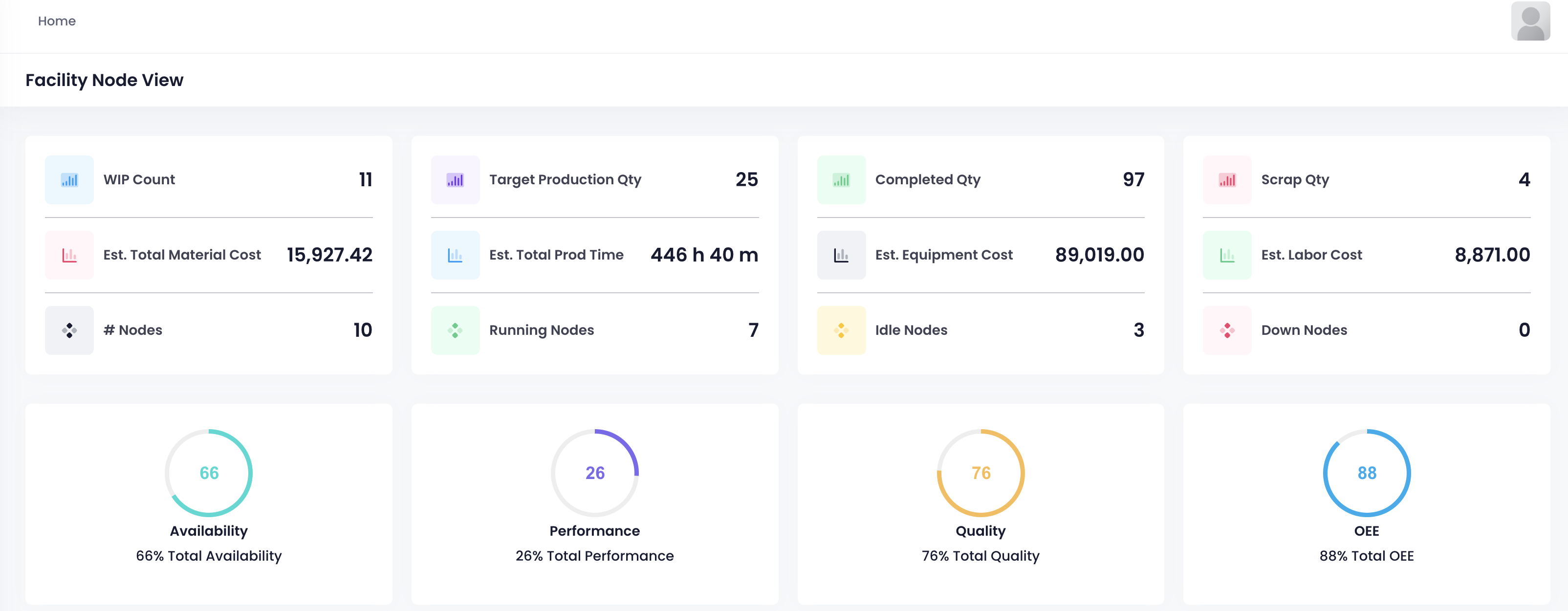
Open the page. The top row shows what matters most right now.
WIP 11 units. Target 25 units. Completed 97 units. Scrapped 4 units. Material cost 15.9K. Equipment cost 89K. Labor cost 8.8K. Production time 446 hours.
Scroll down to node status. 10 nodes total. 7 running. 3 idle. 0 down. Availability 66 percent. Performance 26 percent. Quality 76 percent. OEE 88 percent.
Which area needs attention? One look and you know.
Every Node Has a Story
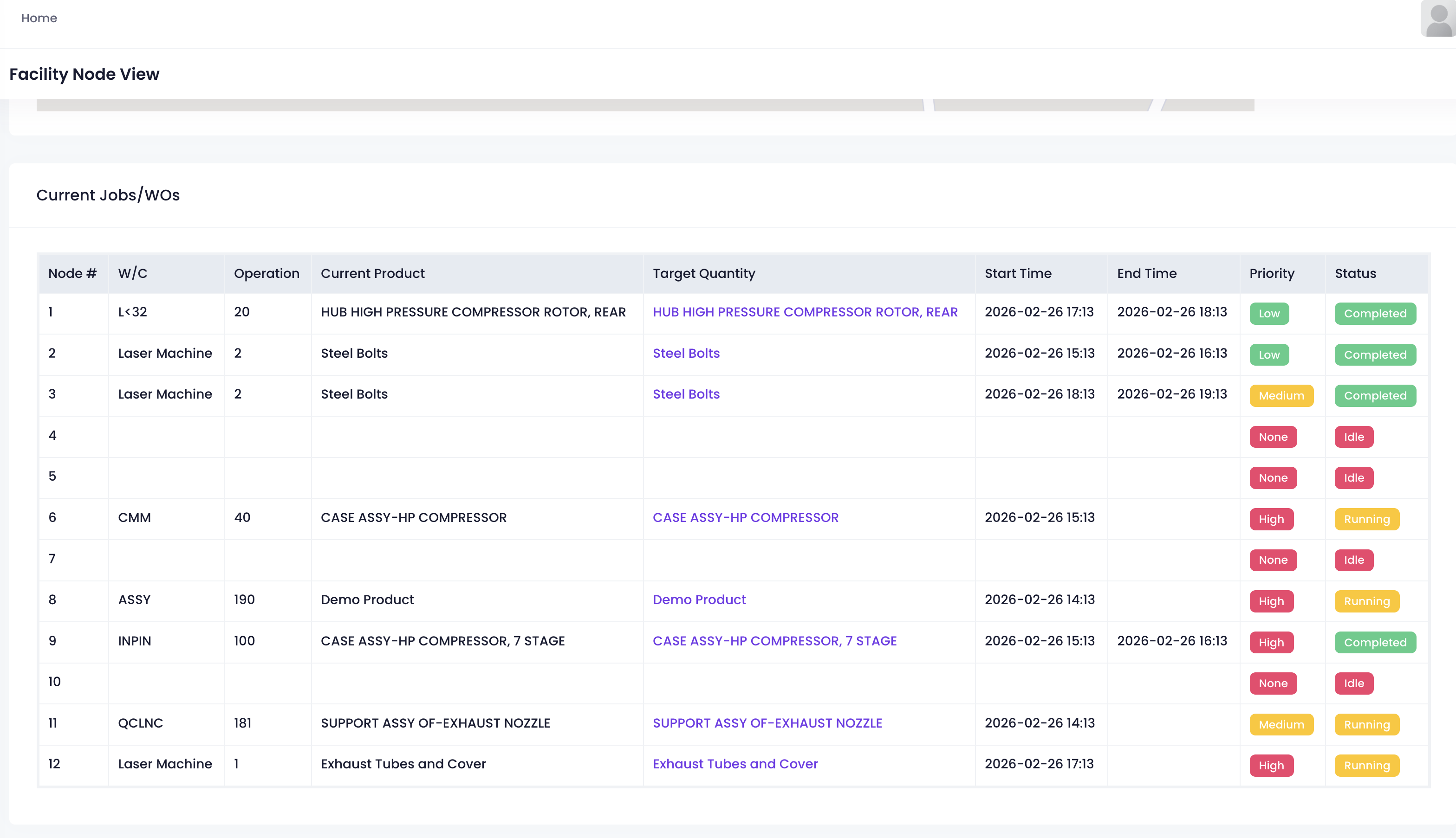
This is the current job list. Every node shows what it is working on, which operation, start time, end time, priority, status. All in one row.
Node 1 just finished a high pressure compressor rotor batch. Low priority. Node 2 and 3 working on steel bolts. One completed, one still running. Node 6 running CMM on compressor assembly. High priority. Node 8 assembling demo product. Node 11 welding exhaust assembly. Node 12 working on exhaust tubes.
Which node is slacking? Which one is rushing? Which sat idle all morning? Scroll through and you know.
Click for Details
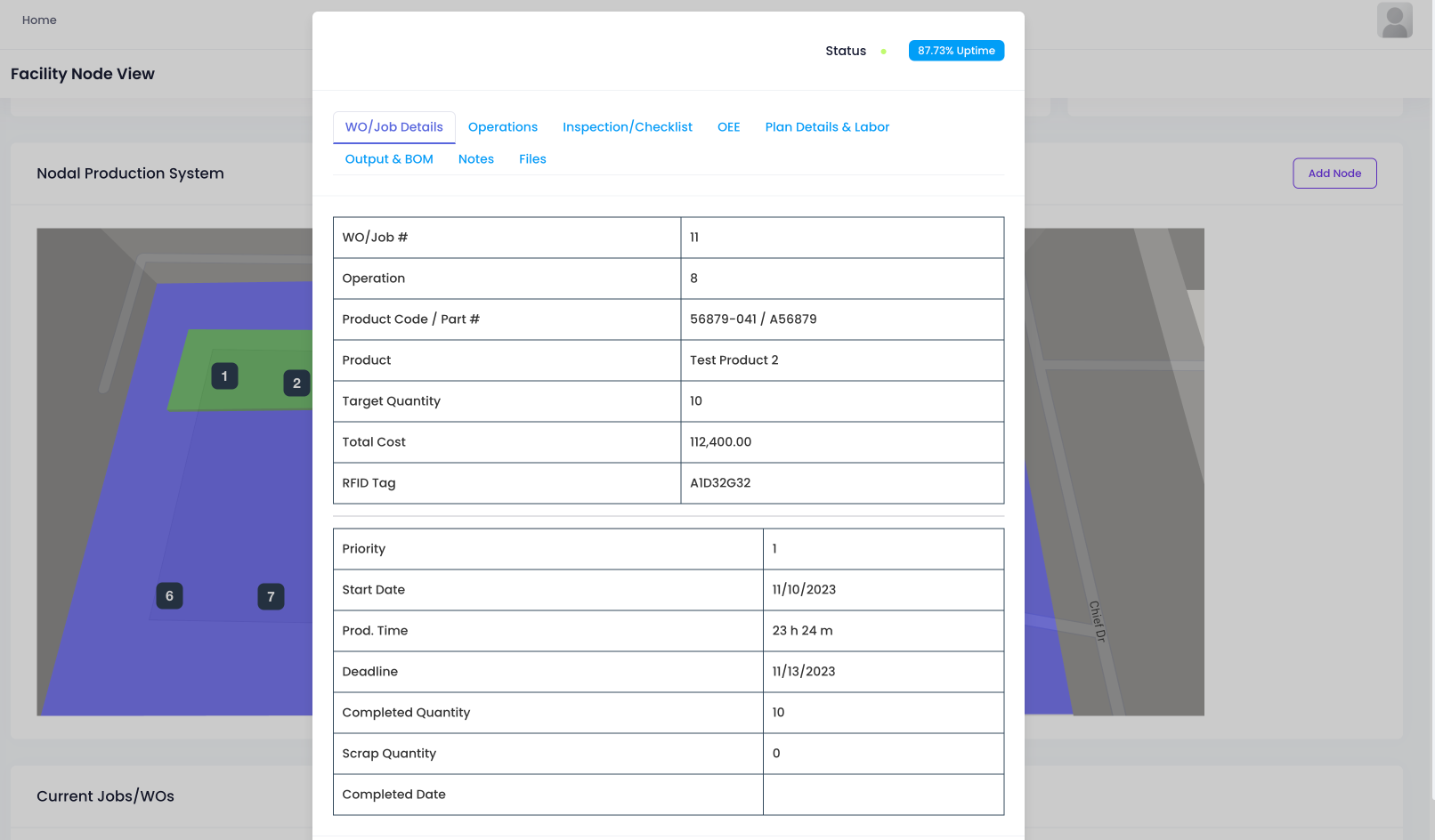
Click into any job. More details appear.
This is WO/Job#11, operation 8. Product is Test Product2. Target quantity 10. Total cost 112K. RFID tag A1D32G32. Priority, start date, production time, deadline all recorded. Completed 10 units, scrap 0. Completion date marked.
Below, tabs for operations, inspection checklists, OEE, plan details, labor, output, BOM, notes, files. Whatever you need, click and find.
Machine Management Is Not About Watching. It Is About Data.
Most people manage the shop floor by walking around, listening, asking questions. You know which machines are running. But how well they run, you never really know.
This system turns every machine into numbers. Running or idle. Fast or slow. High output or low. High scrap or low. No guessing who is slacking. No calculating which machine loses money. Open the screen. Every machine's story is right there.
Who is working, who needs maintenance, who is holding things back. One look and you decide.