Your Schedule Questions?Answered by Numbers

Summary
×Orders piling up. Machines waiting. No idea if you have enough people.
Current Status at a Glance
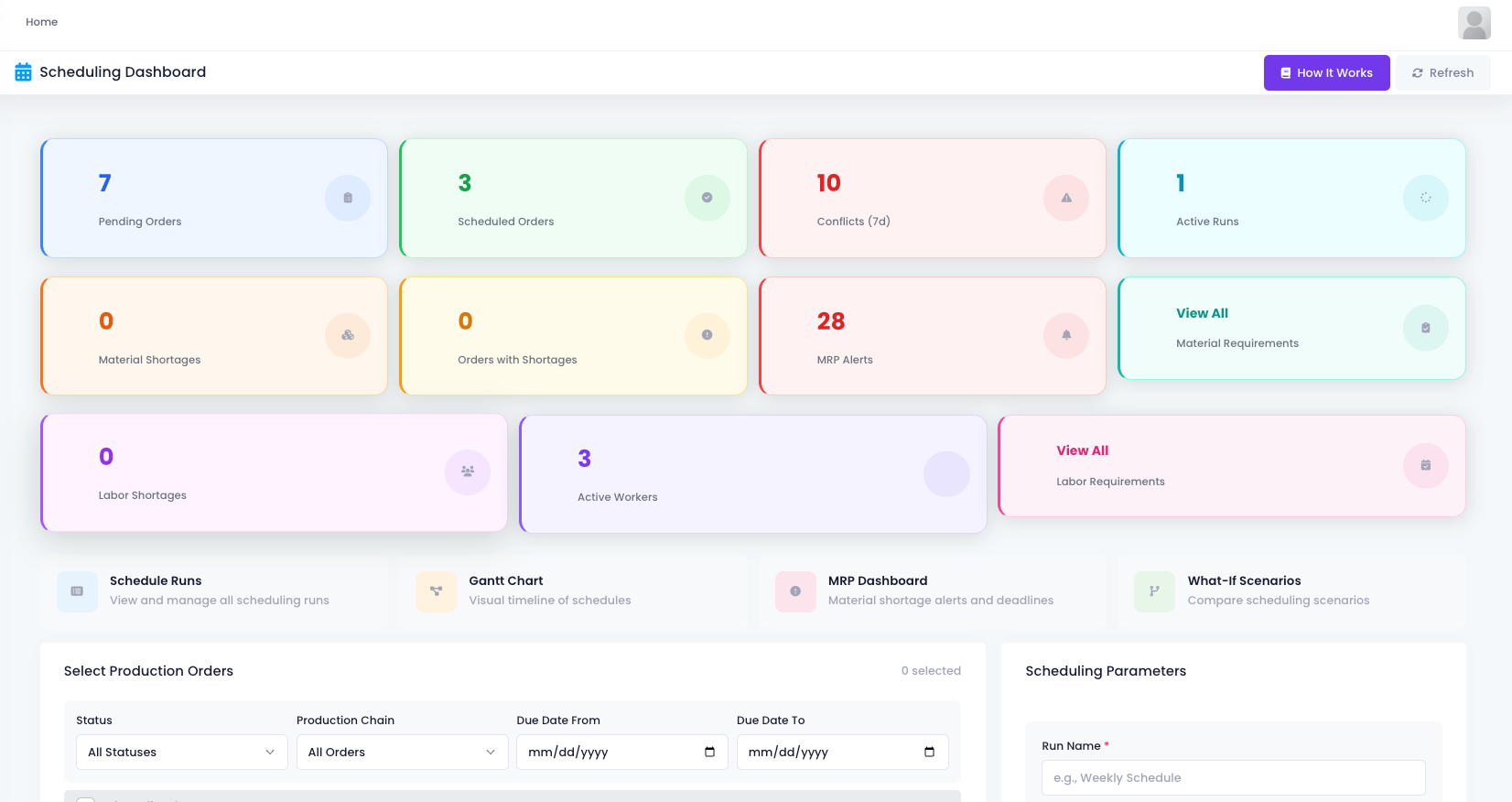
Open the scheduling dashboard. Six boxes at the top show everything critical right now.
Every Schedule Run Leaves a Record
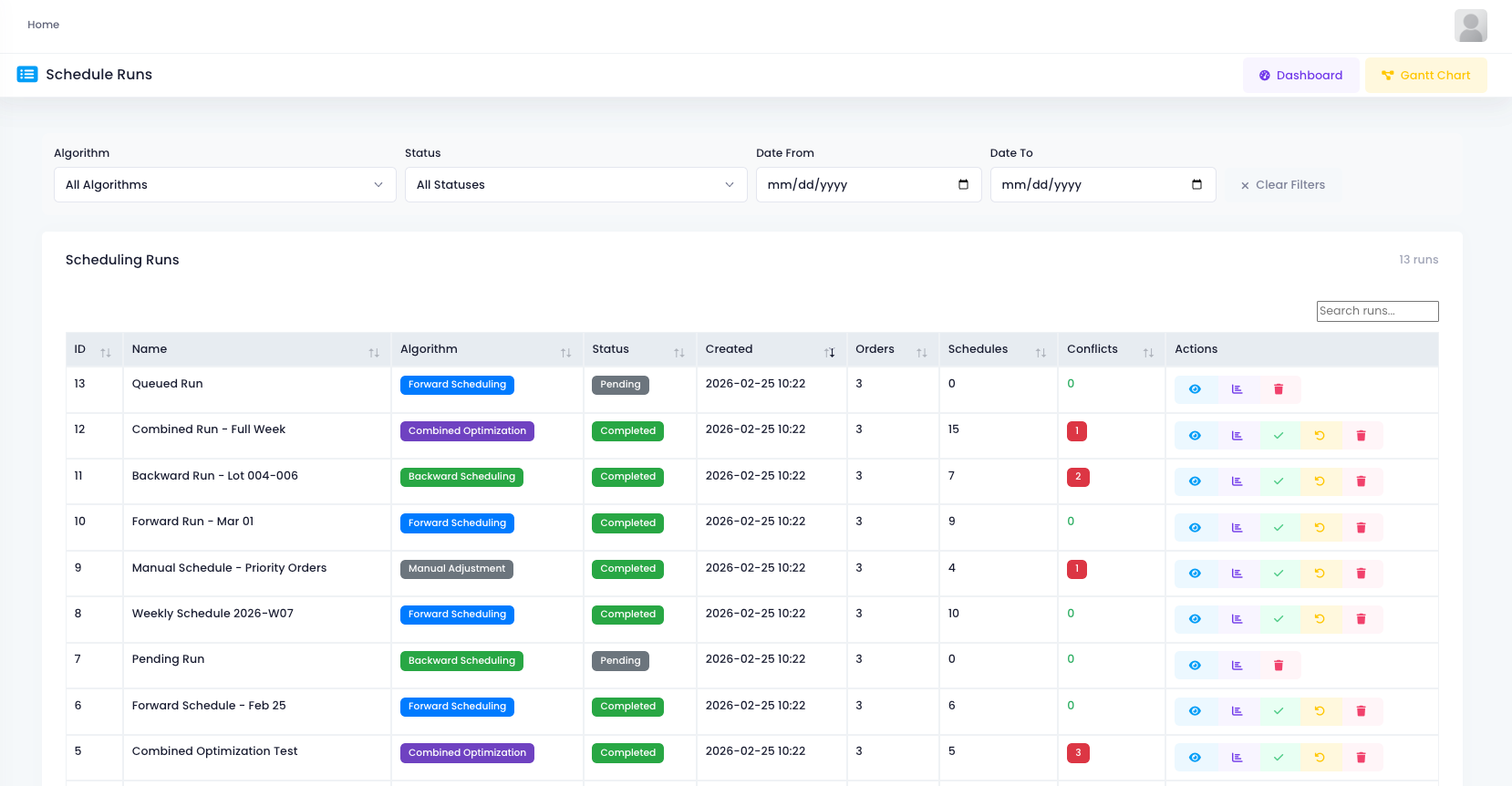
This is the schedule runs page. Every time you run scheduling, the system keeps a record.
Want to find a specific run? Search by name. Want to compare two results? Scroll through and see.
Material Requirements Calculated Clearly
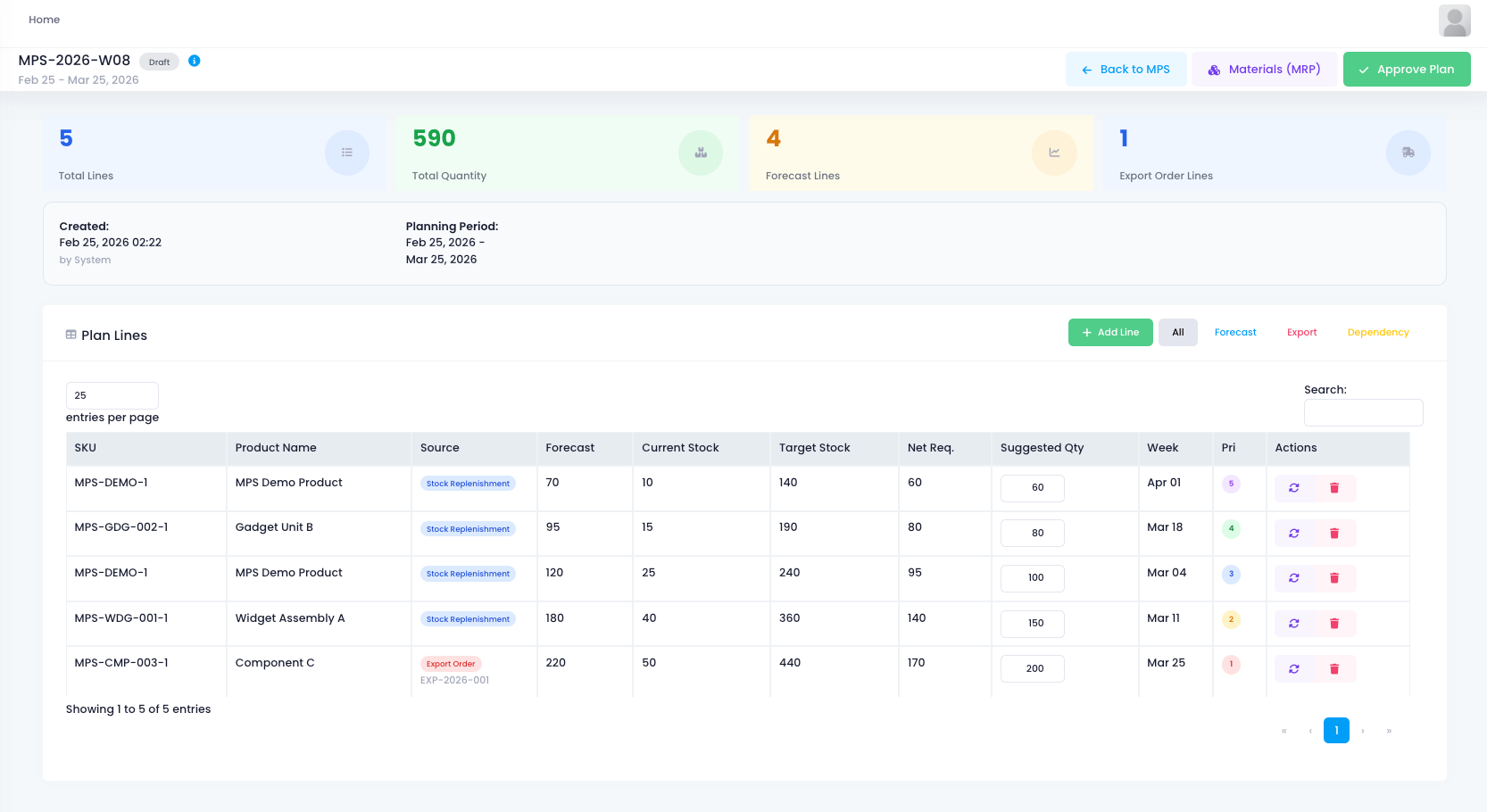
This is the master production schedule page. What needs to be done in the next month, all here.
5 plan lines, total requirement 590 units. 4 from forecasts, 1 from an export order.
Scroll down to the detail list. Every SKU shows product name, forecast amount, current stock, target stock, net requirement, suggested quantity, which week to run, priority level. All in one row.
Stock is 10, target is 140, net requirement is 60.
The system calculates it directly and suggests running 60 units this week. No checking inventory sheets yourself. No pulling out a calculator. Open and you know how much to produce.
Data Speaks, Scheduling Becomes Simple
Scheduling used to depend on memory. Now it depends on data. How many orders, what is short, any conflicts, how much to produce and when. The system calculates it all and puts it right in front of you.
No more guessing. Open the page, take one look, and you know what to do next.